The Weaver Protocol
Social hosting without the chaos. Now your space will follow.
00 — What You're About to Do
This is not a style guide.
This is a system. Apply it once. Benefit every day.
Follow the steps in order. Your space will:
- reduce visual noise
- shorten decision time
- feel structurally calm
No guesswork required.
01 — Quick Start (Do This First)
Before reading further:
→ Walk into your main room
→ Stand still for 10 seconds
→ Notice what your eye does
If it keeps moving, scanning, or hesitating:
"This confirms your Sovereign profile. Now we fix it."
02 — The 3 Core Corrections
You don't need to change everything. Correct three structural failures.
1. REMOVE L5 — Concealed Inventory Eliminate visual noise
Reduce visible objects by at least 60%. Most homes show too much.
→ empty all open shelves
→ keep only 1–2 intentional items
→ everything else goes into closed storage
If you hesitate: hide it first, decide later.
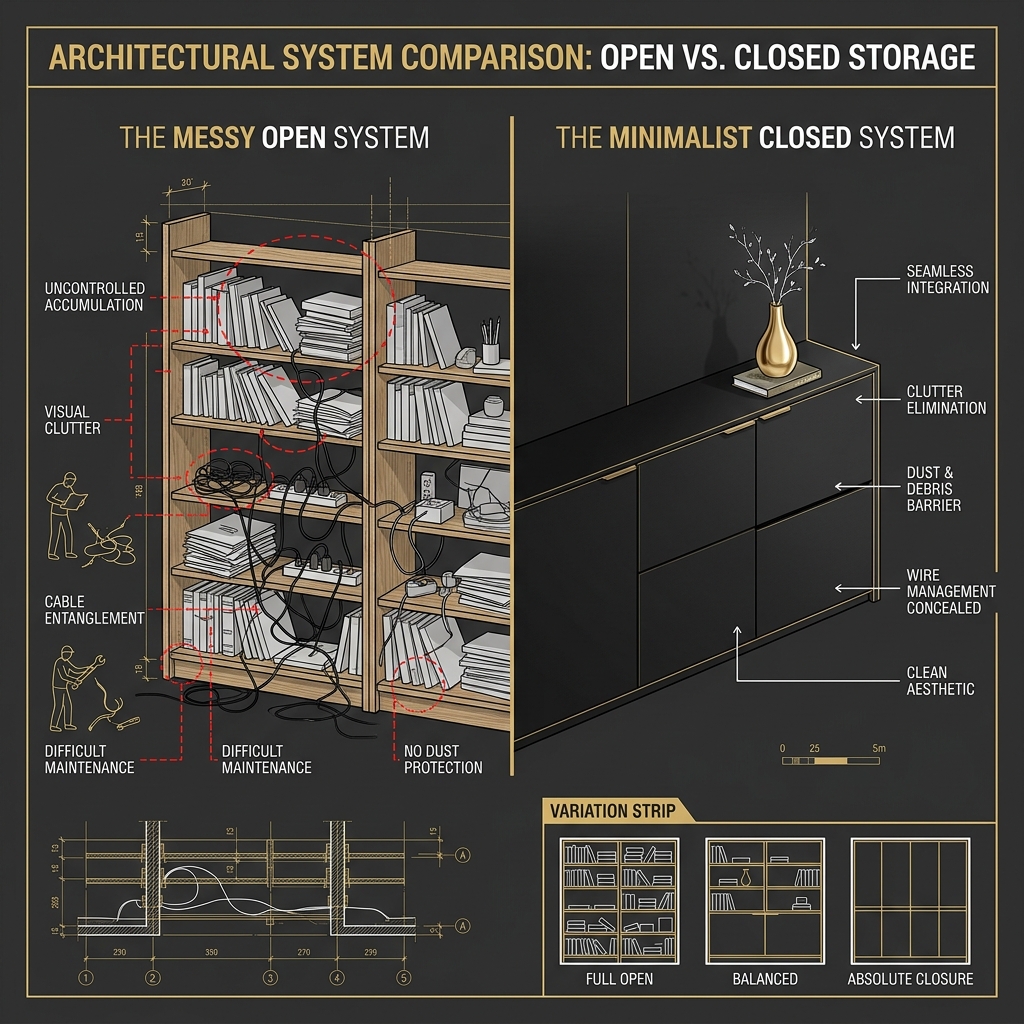
DIAGNOSTIC L5 — Open Shelving vs. Closed Systems (3-Step Variation Strip)
1. ABSORB L13 — Acoustic Comfort Control social noise
Social gatherings generate noise. Hard surfaces bounce it. Soften the space to control the volume.
→ add large area rugs to social zones
→ install fabric wall hangings
→ use thick curtains to absorb echo
If 4 people talking feels loud → still wrong
If conversation feels warm and contained → correct

DIAGNOSTIC L13 — Blueprint Hierarchy: Acoustic Dampening Flow
2. GUIDE L14 — Soft Boundaries No harsh dead ends
Walls isolate. Furniture should gently guide people into different social pockets.
→ use furniture as room dividers
→ create circular flow paths around seating
→ never push all furniture against the walls
If people get trapped in corners → still wrong
If people can orbit the room freely → correct

DIAGNOSTIC L14 — Social Circulation Map
3. CONNECT L16 — Visual Connection Inclusive Layouts
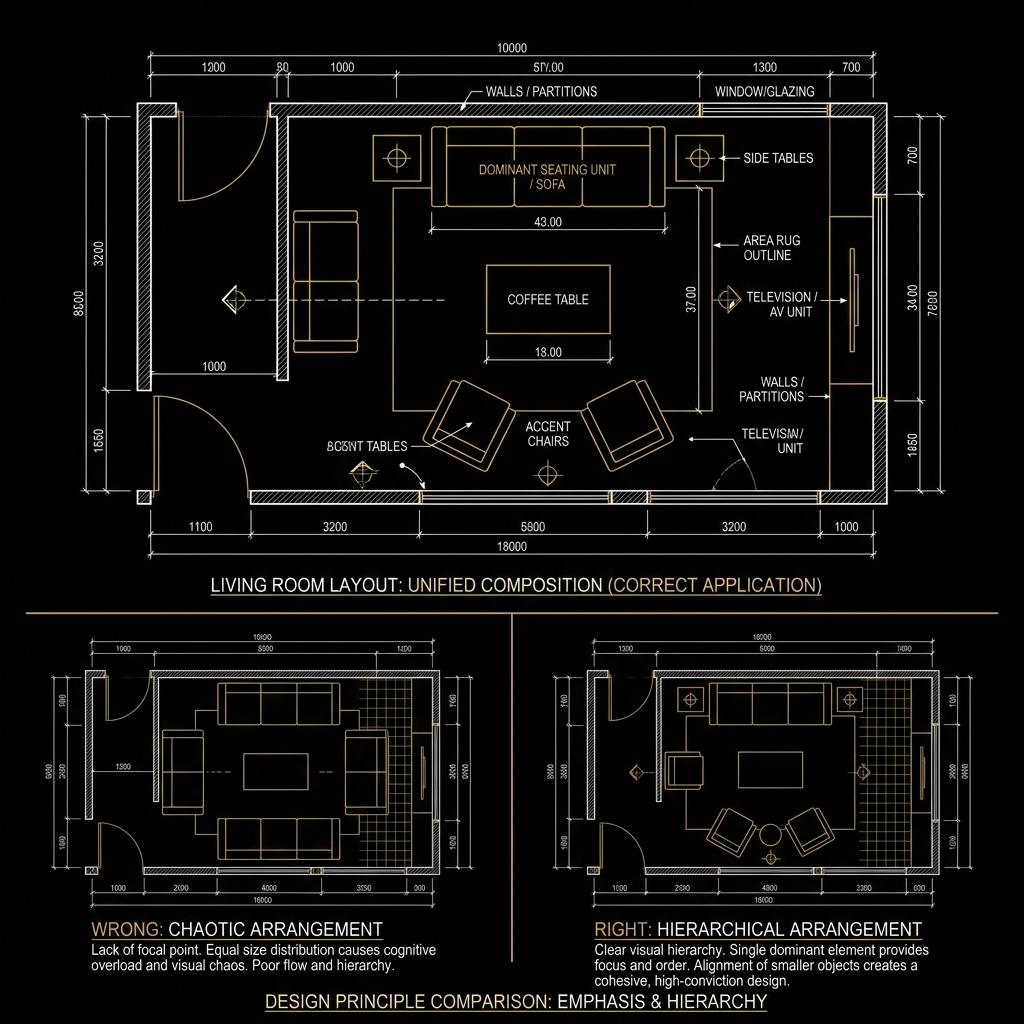
Anti-social layouts force people to turn their backs. Weaver spaces face inward.
→ sofa faces the social hub or island
→ multi-directional island seating
→ nobody's back is to the entrance

DIAGNOSTIC L16 — Sightline & Connection Diagram
03 — Spatial Baselines (Non-Negotiable)
Don't memorize theory. Stay within these limits.
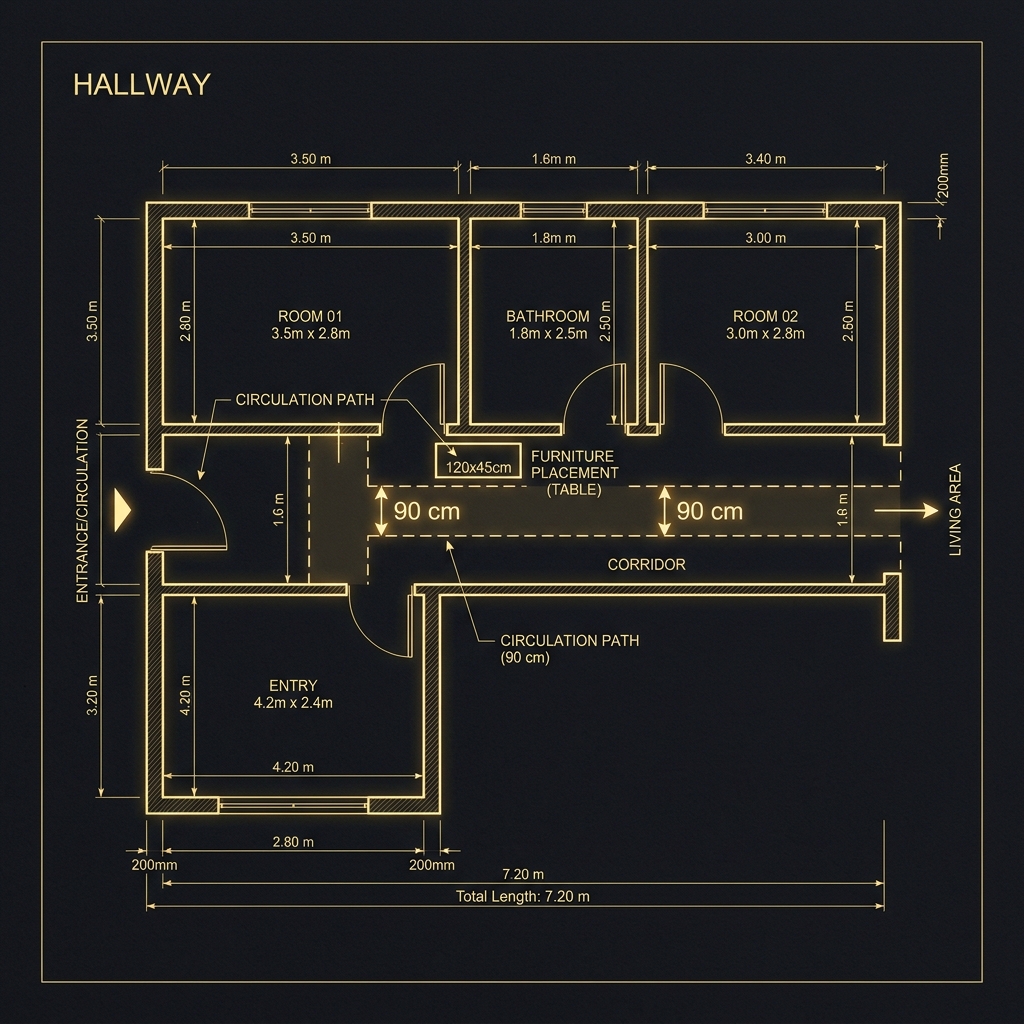
BLUEPRINT — Minimum 90cm Circulation Path Geometry
| Parameter | Limit | Why |
|---|---|---|
| Circulation | min 90 cm | Two people pass without friction |
| Storage depth | max 35–40 cm | Deeper = visual drag. The eye reads mass, not function. |
| Eye-level clutter | max 20% visible | Every visible object is a micro-decision. Limit them. |
Break these → friction returns.
04 — What to Change First (Priority Order)
Do not attempt everything at once. Follow the sequence.
- Day 1 Remove visible clutter
- Week 1 Create one dominant focal point
- Month 1 Upgrade storage to closed systems
05 — Implementation Kit: The Required Tools
"These are not recommendations. These are tools required to execute the system correctly."
Closed Storage Systems
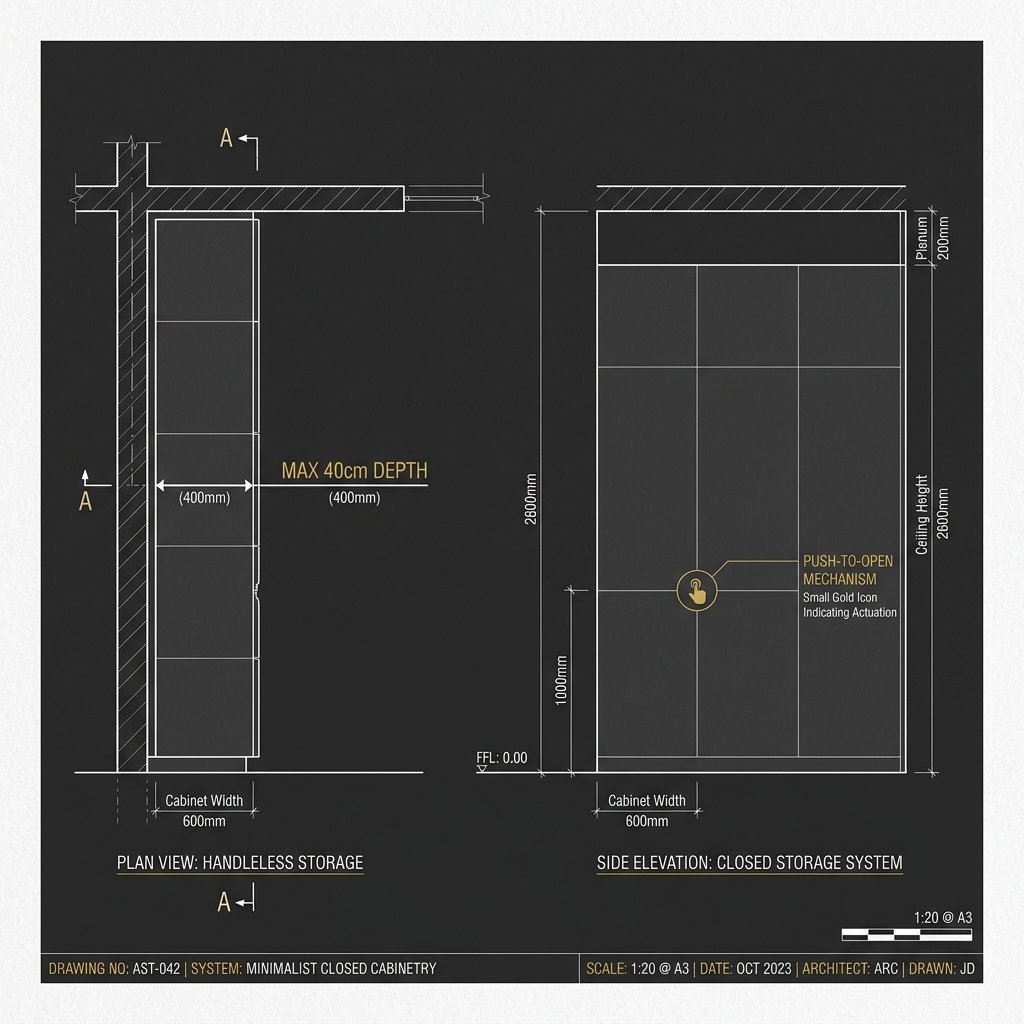
- Push-to-open cabinets
- Large area rugs in social zones
- Fabric wall hangings
Sound Absorbers
- Furniture used as room dividers
- No harsh dead ends
- No competing focal pieces
Micro-Zone Tools
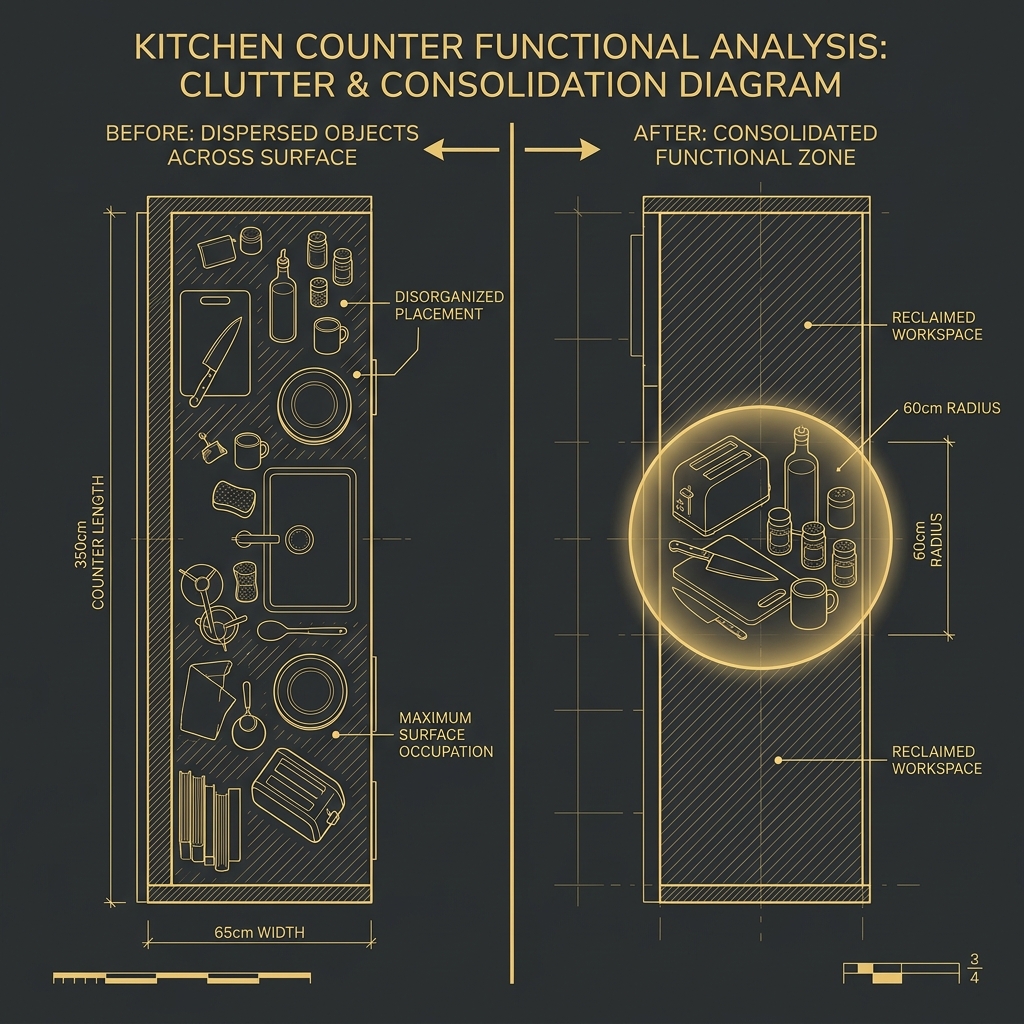
- Rigid tray systems
- Under-desk cable management
- Drawer organizers (grid type)
06 — Your Environment After This
You will notice:
- guests organically flow into the space
- conversations are warmer and more contained
- hosting feels effortless, not exhausting

GOAL STATE — Realistic Representation of Absolute Weaver Hospitality
Not because you changed yourself.
"Because the space stopped resisting your guests."
07 — Common Failure (Read This)
Most people stop at "buying more chairs". This is a trap.
If the flow path is blocked, people will awkwardly stand against the walls.
You will be tempted to push everything to the edges to "create space". This fails. The problem is not lack of floor space. The problem is lack of connection. Pull furniture inward. Orbit the center.
The system must guide people. Not trap them.
08 — Self-Check (After Applying)
Verify your work. Do not skip this.
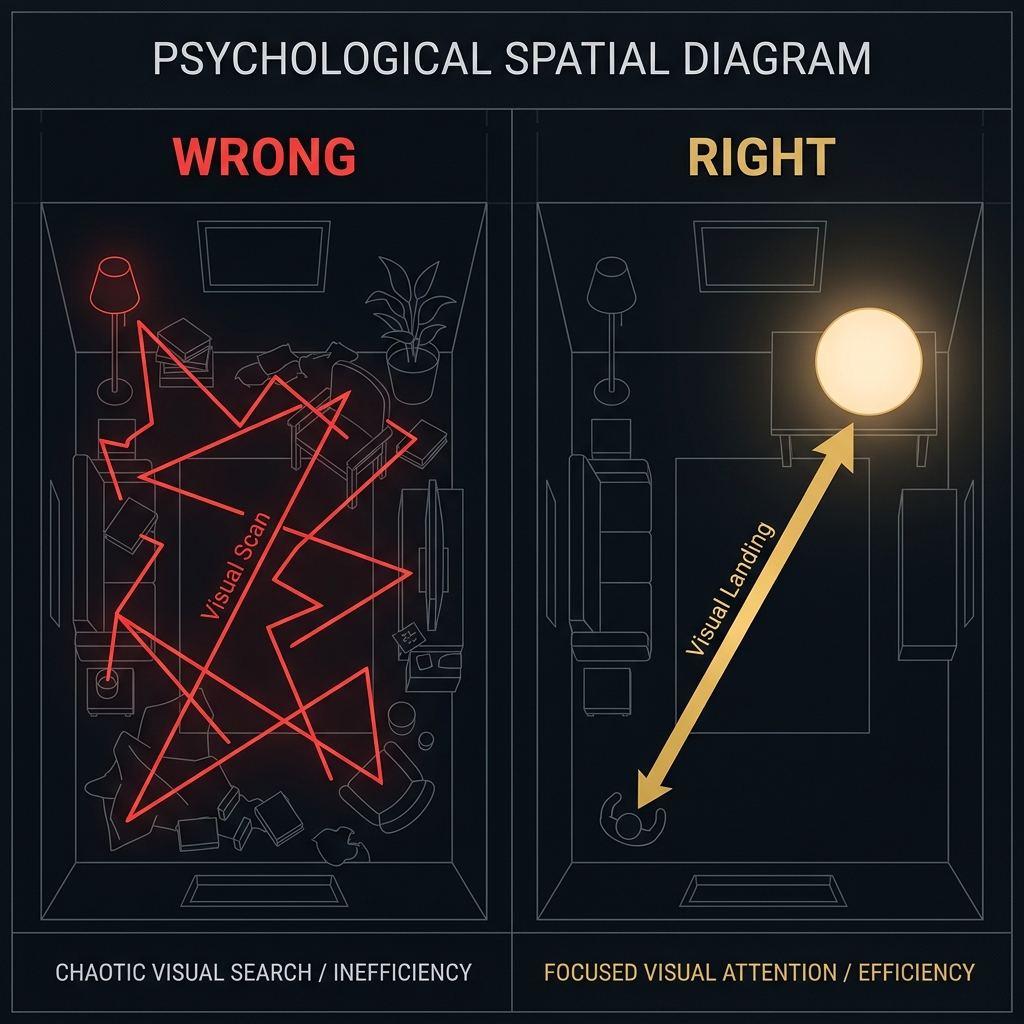
SELF-CHECK — Eye Flow Analysis: Zigzag vs. Landing
Run this check after applying each correction:
→ Can guests walk behind the sofa?
→ Are there multiple small conversation pockets?
→ Can the person cooking see the people sitting?
If any fail → re-check L14. Soft boundaries are usually the missing piece.
09 — Final Note
Do not keep adjusting.
Set it correctly. Once.
After this, the space hosts for you.
Protocol Options — Correct Layout Variations
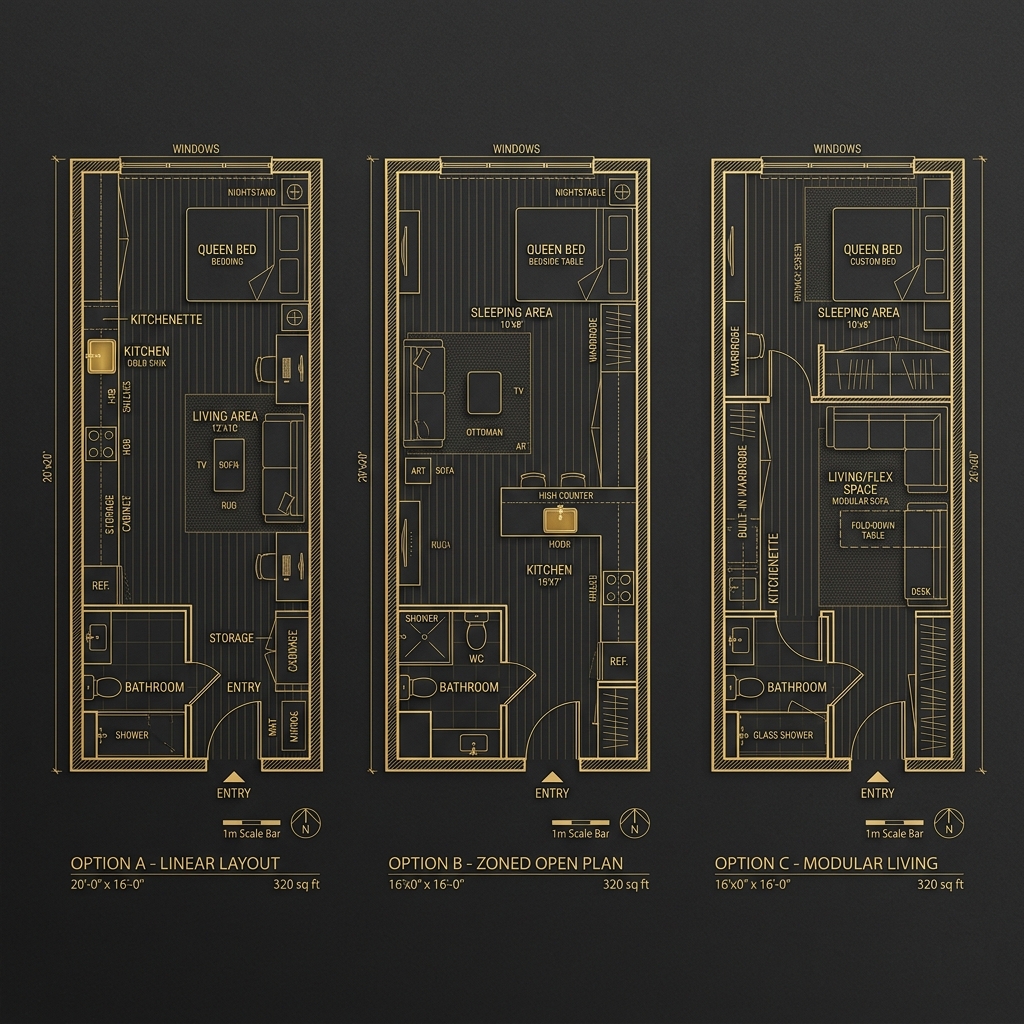
"Choose the configuration that fits your specific room geometry. All follow the Weaver Protocol."
Are guests still awkward in your space?
"Not sure if your circulation buffers are correct? Send us your floor plan for a professional Weaver review."
Persona Layouts — Powered by Yorukoglu Architecture
Generated through the Architectural Protocol Matrix™ · Spatial design guide — not an architectural project document.